
I can't figure out my workflows
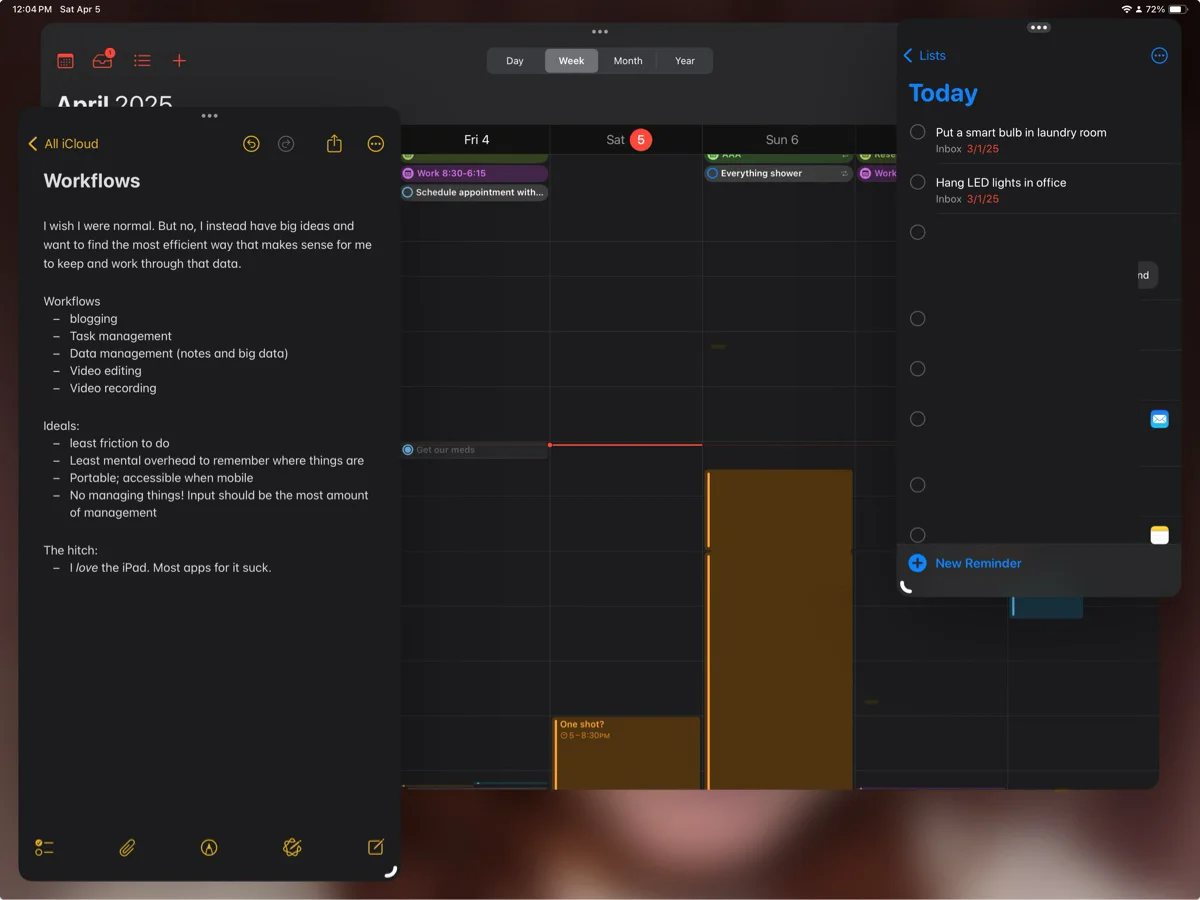
I wish I were a normal person, but alas, I'm not. Whereas my wife can happily use Apple Notes, Reminders, and... Finch????? for task and data management, I'm constantly switching between Notes, Notion, and Craft, among other things.
At least I've ruled out some apps (like Things and Obsidian) to make this thought process easier. But even still. I just can't be happy, and I want to fix that. I feel like I can either fix my feelings on all this by being content with simple setups, or by building something that is uniquely suited to my particular workflow.
That's the problem though: what is my workflow? What do I want out of the things I use to manage my life? Do I want to build something that I then have to manage?
There's at least one thing that's certain, and it makes figuring this out so much harder: I want to use my iPad as my main computing device.
Workflow 1: Programming
I'm a WordPress developer by day, and I work on dozens of sites a month.
I've tried to code from my iPad (How I Built a Remote Dev Server (to code from my iPad)), but it's a clunky experience at best. In reality, VS Code loses keyboard focus frequently, and this setup works okay for one site. Not for dozens of unique sites.
This is a workflow that I've found incredibly successful on my Mac, and not elsewhere. While I do my best to keep an ear to the ground with regards to moving this workflow to my iPad, nothing beats this toolset that's exclusive to the Mac:
- LocalWP
- Visual Studio Code
- Alfred (with a custom workflow I made that sets the site up for local development and connects the local site to GitHub)
- Raycast (hyperkey and clipboard history? YES PLEASE)
- Arc
- Terminal
Nothing else comes close, especially on an iPad.
Workflow 2: Blogging
You're most likely reading this post on my Craft-hosted blog, unless I've changed my mind again. Craft is nice, but I'm not too happy with its workflows.
You might be asking, why don't I use WordPress? A few reasons:
- I don't want to pay for a server
- I don't want to manage a WordPress install or a server
- TOO much choice and customization. I once set up a Mastodon instance on my blog. Just... no.
- The Gutenberg editor is finicky, and pretty bad on mobile
- Moving articles from my writing app to Gutenberg is a pain, especially when media is involved
- I don't want to manage media, CDNs, WAFs, indexes, plugin and theme updates...
- Of course I'd have to make my own theme. Which is a lot!
Out of all those reasons, the two most important for me are cost and mobile publishing.
My ideal platform is one where I can focus on getting content out the door quick– not to boost SEO or crap out content, but because if I sit on something too long, I won't publish it. For example, I have an iPhone 14 Pro review that won't ever see the light of day.
So, why Craft? Well, in general, I love the app. It's so pretty, and its mobile UI is legitimately clever. It's writing experience has enough style and finesse to make pretty pages without diving into code. I also already pay for it! It's something both me and my wife love to use, and with the family plan it's a legitimately good deal. Add onto it that you can publish pages to a custom domain, and it fits into a lot of my criteria.
I have my problems with it:
- Should I keep blog posts as individual pages? Or add them to a collection? There's pros and cons to each.
- Publishing requires specifying a permalink, and when referenced on other pages of the site, it uses a completely different permalink
- Limited navigation customization
- A page makes me feel like I need to write something long. What if I just want to make a small blurb?
I've tried using Notion as my host, but it's too expensive for what it is (plus plan + cost per domain), and it's not nice looking. I can use Cloudflare to add code and styles! But now that's some more complexity (plus now I'm coding on my iPad). Notion has an API, which means I can use it to write articles and sync to a WordPress site! Heck, I started writing a plugin to do just that (and stopped when Matt Mullenweg went crazy). I could use Notion to make a Notion to Markdown to Jekyll to GitHub Pages workflow! But wow that could break in so many places. How should I organize my blog? In a database? There's just so many options.
Basically, Notion appears simple but can get complicated and expensive pretty fast.
I know some people use Obsidian for their blog. And I respect that! But my goodness can that be pricey and also I hate that I have to manage all the media myself.
Just because something has a "file over app" mentality or API doesn't exactly mean the data is free. There's something nice about writing and formatting posts in an app like Craft and then hitting 'publish'. Simple!
Everything I've explored seems to have a compromise in a place that's important for me. How do you blog?
Here's what publishing in Craft is like:
Workflow 3: Data management
This is complicated, because what is 'data?' In my mind, data can be anything from quick thoughts, to tables and databases. I'm not talking about files... I try to stay away from those, instead opting to put files in places that make sense (tasks, events, notes, etc). This is why Notion appeals so much to me: it's a simple editing experience that you can make as complex as needed by adding databases and bookmarks and AI blocks and forms and... the list is ever growing.
Notion's editor is fantastic. They have me hooked on block-based editing. Sharing with other people is excellent. I also love deep links into databases, pages, and blocks. The problem with Notion comes when I need to jot down a quick thought. Where do I stick it? In my Inbox Notes database? Okay, well, by the time I've waited for the iPhone app to load and I navigate to the database, my thought is gone. Maybe I should stick it in the "private" section. But now I don't have the metadata I need. I can use a Shortcut! But again, the app is clunky so I probably won't see the note later. I'll find it later with search! Oh wait, no I won't, search sucks.
Apple Notes has the opposite issue: it's super easy to get info into and out of it, and its reverse chronological and flattened list of notes works so well for me. But if I need to format my note as it gets more complex, the app starts fighting me. The Apple Notes editor is terrible. And I can't exactly share the note's link to another app without some crazy workarounds. I feel trapped when I need to start incorporating other tools into my data.
Bear is nice, and has Markdown support! But it's an additional subscription. Craft is also nice, but has the same 'complexity' and search issues Notion has. Everything is a 'document,' which feels... big and complex for simple notes. Obsidian is too slow and too customizable. The list goes on.
Ideally I'd have one app for it all, and Craft gets close (documents, daily notes, and tasks!). But even more ideally, either Notion would have a view like Apple Notes, or Apple Notes would have an editor like Notion.
With solutions like Notion having workspace-scoped AI, and with other tools (including Apple's) building towards something similar, it's important to me to have data all in one place... that way I can theoretically "chat" with my knowledge graph and gain insights or find the info I need. But no app seems to be perfect for capturing and managing data. And in practice, I haven't found things like Notion AI to actually be helpful with my disorganized dataset.
The 'solution' I have right now is using Apple Notes for quick thoughts, and Notion for 'bigger' thoughts, like projects and longer documents. But I'm not a fan. What if I have a somewhat complex thought? WHERE DOES IT GO? How will I know where to go to find it later? Do I need another app to keep an index of what thought is where? Ugh.
Apple Notes is, again, the closest thing I have to perfect. I can drop audio and PDFs and images and text blurbs into notes that are all indexable. I don't have to think about structuring my data. I can add tags. Search is pretty good! Smart Folders are kind of useful. Sharing notes with my wife is easy. Quick Notes on iPad are awesome. Spotlight integration is cool! And the promise of a contextual Siri is alluring. But that editor. That god-awful editor.
There's also the issue of when I need to act on data...
Workflow 4: Task management
Here's the problem. If I'm out and about and remember I need to do something, I need to add a task that will surface when I need it later.
The Reminders app is still the best thing for that. Between Siri and Remind Me Faster, inputting something for later is super easy. And I can see the Reminders in my calendar app, which I live by.
So, what's the issue?
When it comes to anything beyond inputting info, I feel like I fight the Reminders app in everything I do. So may things take multiple taps to accomplish. How do I sort or organize info? I dunno, there's tags and lists. Most things stay in my "inbox" list because I feel like it'll get lost otherwise.
It's impossible to link to lists or tasks outside of Reminders (what if I want to mention a list in my Apple Note? NO GO). If it weren't for the Calendar integration introduced in iOS 18, I wouldn't use the app.
How could I use Reminders when something smooth like Things 3 exists? Or when I can use Notion, alongside Tasks for Notion, and Notion Calendar, to get a similar feel? A smooth UI and API access to data are really incredible features. Todoist... exists! But no, I'm stuck with Reminders because it has the fastest way I know to input data.
Notion and Craft are especially alluring because my tasks are alongside the data they're actioning. That's ideal! Especially since there's times where I'm like, "should this be a note or a task?" Those apps basically solve that issue. But without any calendar integration, it's a hard sell as I need to see my tasks and events in the same place.
Notion + Notion Calendar gets close! But Notion Calendar has no iPad app. And if I really want to have tasks associated with data, I have to figure out my notes workflow and how to integrate the Notes and Tasks database. Or I could use the Task as my document... but what if it's part of a bigger project? ...etc etc. You see my problem.
Reminders remains the simplest solution, but I hate the app so much. If I could get a Things 3 UI in my Reminders app, that would be ideal.
Workflow 5: Video capturing and editing
I'm actually really happy with the setup I have for this.
In the past I've run two media production businesses, and used to work at a college in the Media Services department. I'm familiar with heavy-duty equipment and workflows, and I know Premiere Pro, Final Cut Pro, DaVinci Resolve, and After Effects inside and out. I know that LUTs should come last in the pipeline! I know lighting is probably the most important thing you can do for your camera. And I've worked with completely manual cameras and know how to properly expose a shot.
Basically, I know what I'm doing! That's something I rarely admit to myself.
...which is why it's funny to me that I've settled on an iPad and an iPhone for my personal editing/capturing setup. And like, I'm not ashamed by this at all.
Why would I want to spend so much time setting up a shot when I can just whip out my iPhone, open up Kino, and be done with it? I can wirelessly preview my capture on my iPad using Vlog Monitor, and then sync my clips to edit via iCloud. I open a new project in Resolve on my iPad, and begin work on editing. I can even use Stage Manager and connect my iPad to an external monitor for edits that require finesse.
I'm not worrying about storage, file management, coloring workflows, exposure, focus... it's so nice. It's so powerful. It's so modular if I need it to be.
I use a 16 Pro for my iPhone. It's the perfect camera for me. It's so tiny, and has "4" lenses in it. When compared to my Blackmagic camera, it's crazy how much it can do considering the size difference. The iPhone powerful, light, easy, and has a much more configurable setup.
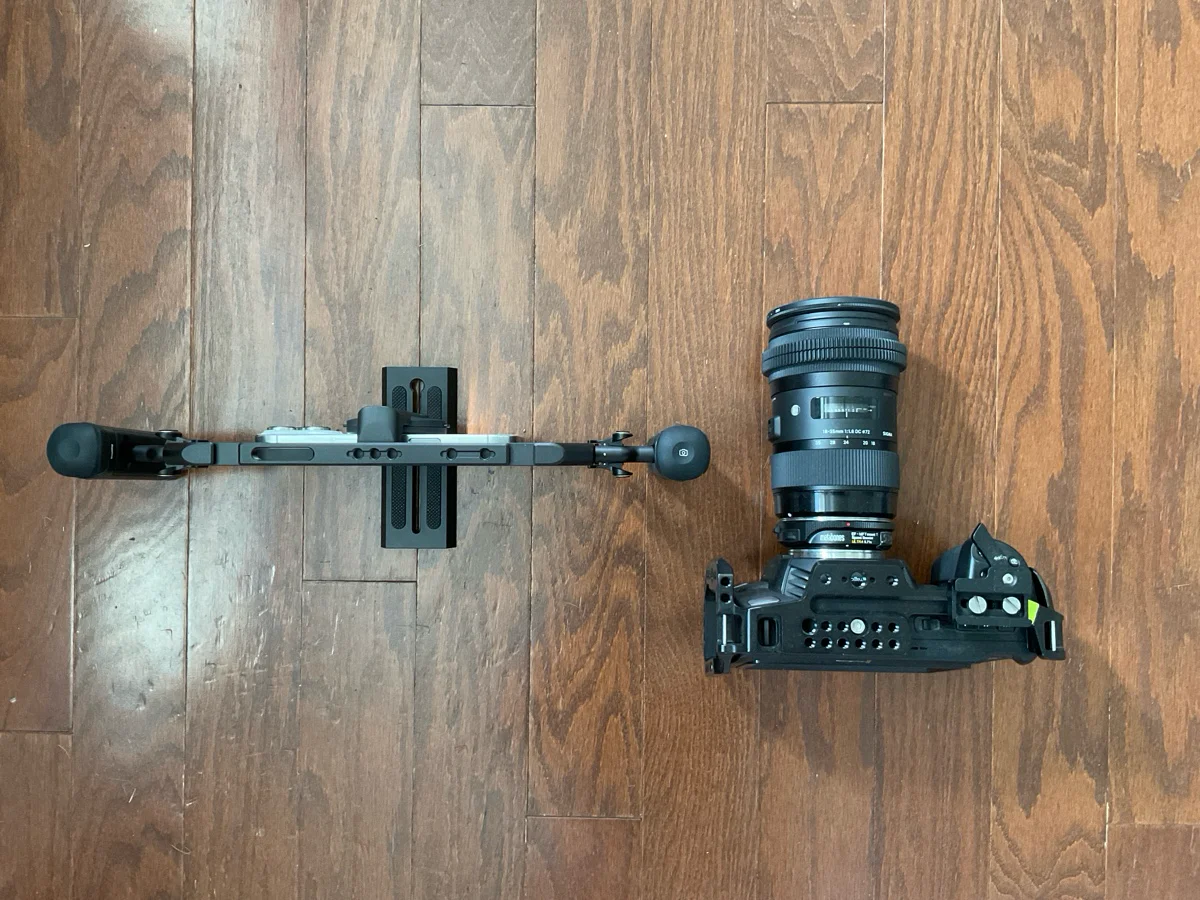
In exchange for a much smaller and lighter footprint, I don't feel like I'm compromising on anything. The battery lasts longer! I can shoot in LOG, storage is included, things can be as 'automatic' as I want (focus, exposure, white balance), and the iPhone is so modular. When I need a complicated setup, a USB-C hub can connect external storage, external monitors, microphones, and power. For simpler setups I have a camera grip, and I have a dock that can track subjects. All I have to do is connect it magnetically and press 'record'. That's not to mention the different apps that transform my phone into different cameras: Kino is quick and easy, Blackmagic gives me all my manual controls, Final Cut Camera has an incredible zoom slider... the list goes on. Oh, did I mention the built in stabilization? Game changer.
So I don't have the same Depth of Field an APS-C lens has. DaVinci Resolve has depth effects I can add in. I have "four" freaking lenses in my pocket that shoot LOG, I THINK I'M OKAY.
When it comes time to edit, my footage is already on my iPad, since I've configured my apps to either store things in Apple Photos or my iCloud Files. A simple import into Resolve gives me all the power I need: full color grading, Fusion effects, and a great timeline experience. It's certainly no Final Cut (still the best cutting experience I've had), but it's not far off. I can use the Apple Pencil, my fingers, or a mouse to edit. And if I really need something my iPad doesn't offer, everything is cloud-synced to my Mac. I haven't had to reach for that yet, but it's nice it's there.
This is the one setup I have that really feels like magic to me. It's truly effortless to get great looking results using my iPhone and iPad. These tools are so modular, too. I've been streaming using my iPad and iPhone, both connected to an ATEM Mini Pro ISO using AirPlay. What a workflow! I can record on my ATEM and then edit that project in Resolve. It's so, so lovely.
The downsides are few: Stage Manager needs a lot of work, and why can't I render something in the background? Ugh. Also Resolve crashes sometimes, and cache management needs work. But otherwise, I feel no need to use anything other than my iPad and iPhone for personal video projects.
Workflow 6: Music production
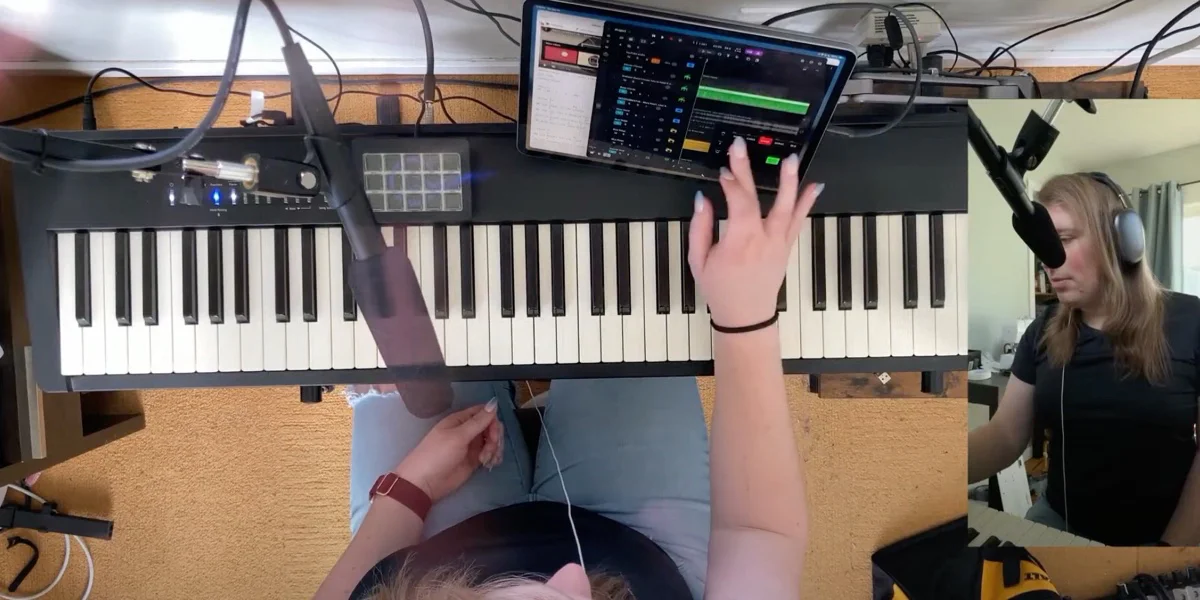
I play music as a hobby and I've been getting into recording a bit more.
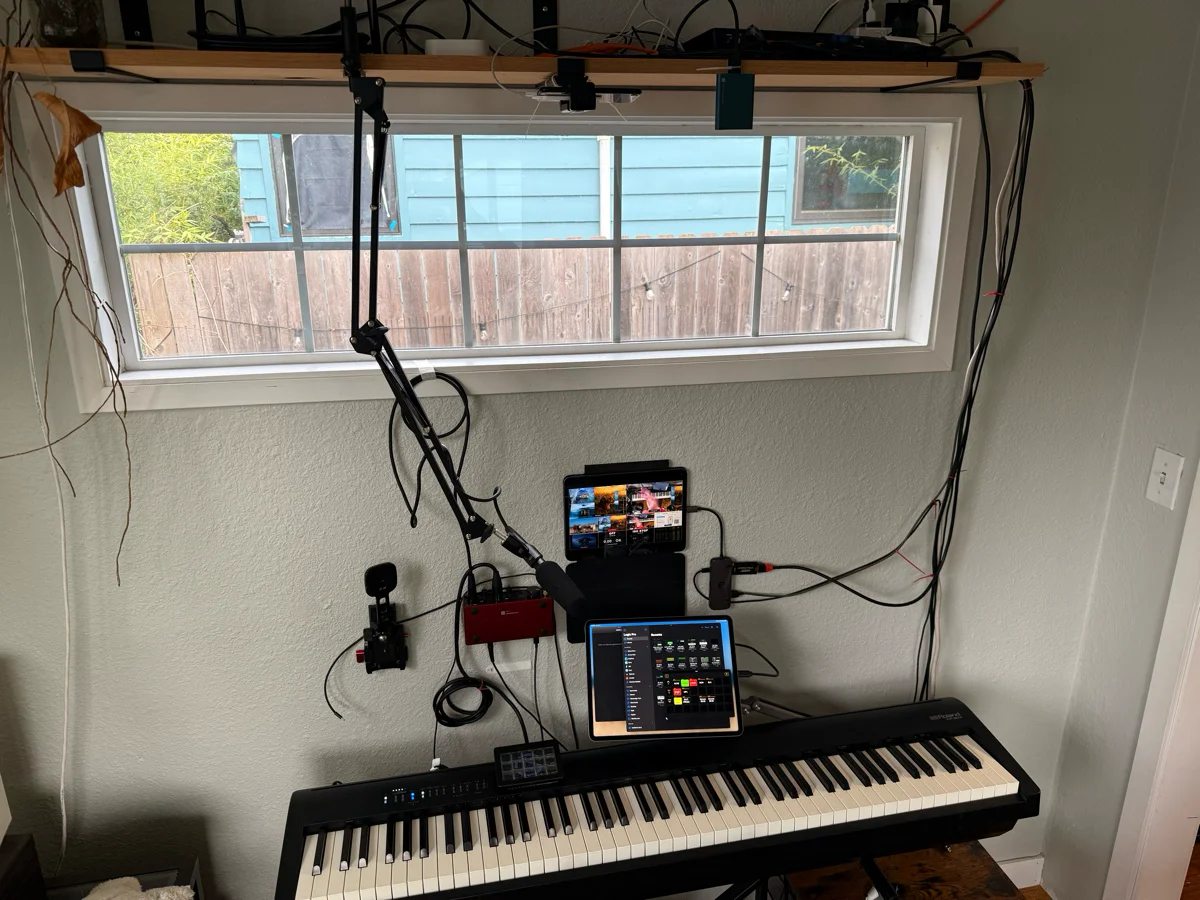
This one is easy: Logic Pro for iPad is simply incredible. And it supports my Focusrite. Combined with my piano's wireless Midi, it's easy for my to start recording something on my iPad. And if I want, I have that ATEM setup mentioned above, so if I want to record a cover, it's as simple as plugging in a cable and pressing "record."
Your turn!
Okay. I've ranted. I've raved. There's more to talk about... like, managing email or calendar events! AI workflows and journaling. Web browsing? Messaging? There's so much. Maybe another time.
It's time for you to chime in: what are some of your workflows? How do you manage tasks and data? Do you blog? Leave a comment!